Features
Everything it does
Every feature on this page is in Bonza Engine today. The screens use a demo business, so the customers, staff and prices are made up.
Opens an email to [email protected]
Sample data
Win the work
From the first message to an approved quote.
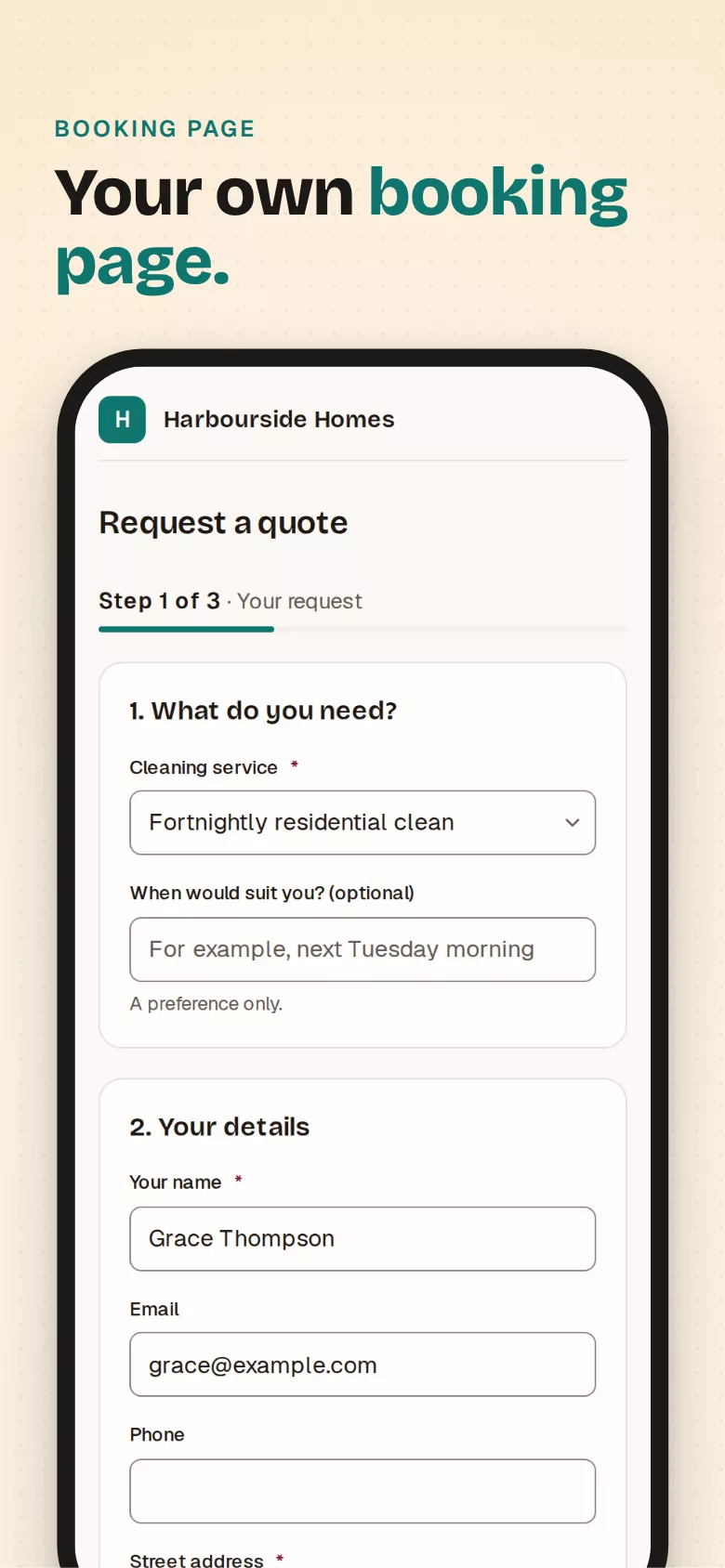
Online booking page
Customers book one-off, weekly, fortnightly or monthly cleans from your own booking page.
Enquiries into quotes
Paste in a customer’s message or email and AI drafts the quote details for you to check before anything is sent.

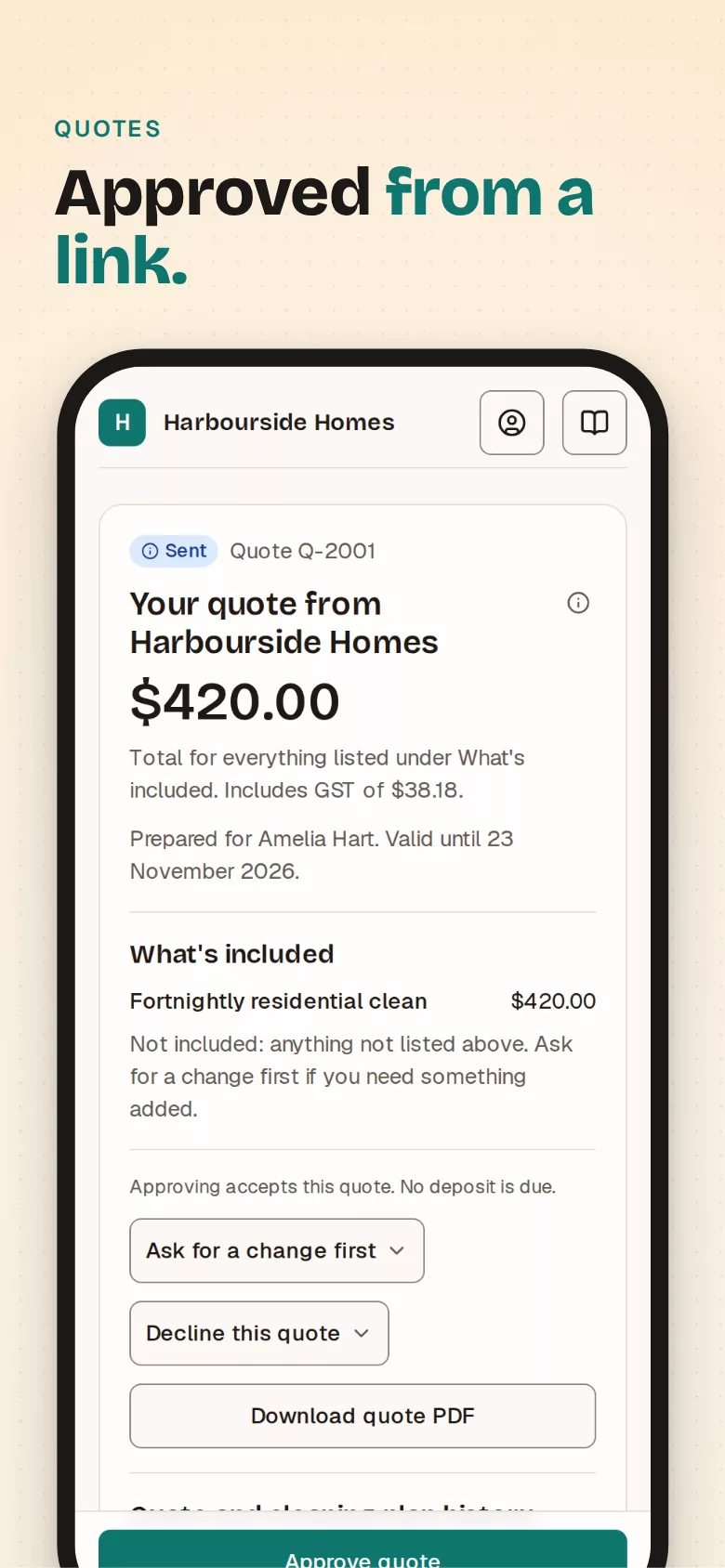
Quotes approved online
Customers review and approve quotes from a link, and can pay a deposit by card.

Run the day
Schedules, staff and the details that make a clean go right.
Sample data
Recurring schedules
Regular cleans turn into jobs on the calendar automatically, so nobody has to re-enter them.

Staff jobs on their phone
Cleaners see their jobs, instructions and checklists on their phone and add photos. Work saved without reception is sent when the phone reconnects.
Also included
Cleaning instructions per property
Each property keeps its own instructions: access, pets, allergies and room-by-room tasks.
SMS and email reminders
Customers get an SMS or email reminder before their clean.
Get paid
Invoices, payments and your books, without double handling.
Invoices and reminders
Invoice a job or group several jobs onto one invoice, then send payment reminders.

Reports
See revenue, jobs and services at a glance.

Also included
Card payments through Stripe
Customers pay by card on Stripe’s secure payment page, or keep a card on file for regular cleans.
Xero sync
Invoices and payments sync to Xero. If a sync fails, Bonza Engine flags it so you can fix it.
Keep customers close
Give customers a clear view and an easy way to ask for changes.
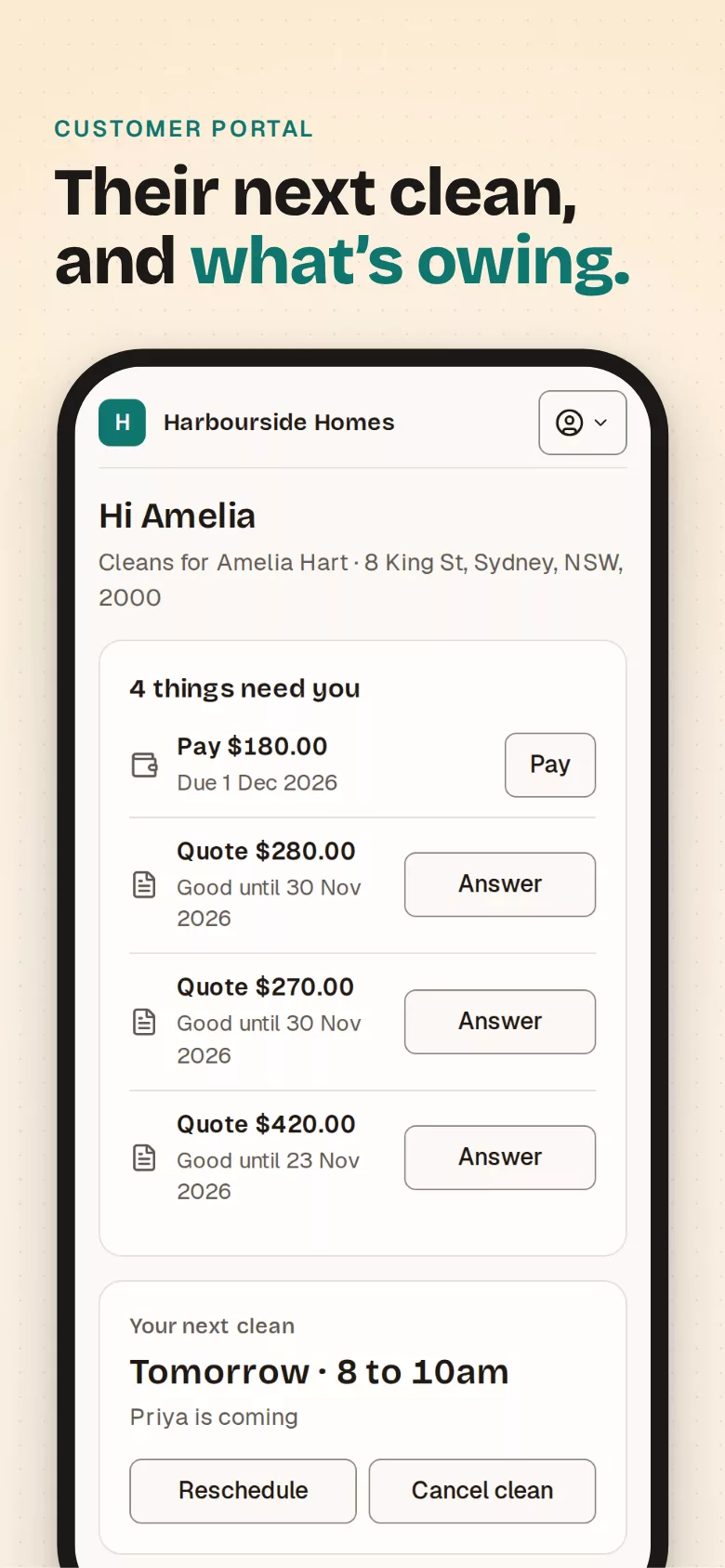
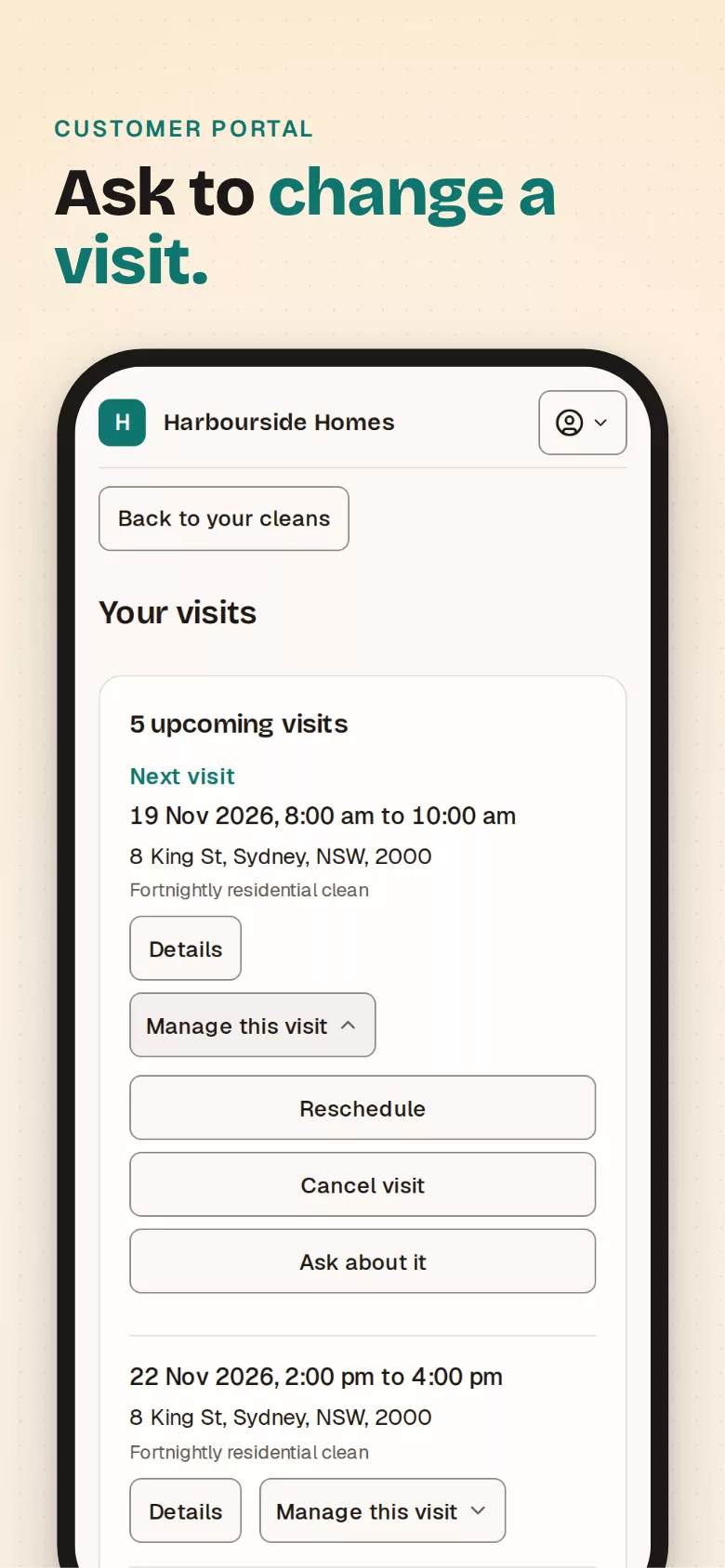
Customer portal
Customers see their quotes and bookings and can ask to change a booking.
Also included
Ratings after each clean
Customers can rate a clean so you hear about problems early.
Calendar feed
Put jobs in the calendar you already use, or connect Google Calendar.
Bring your customers across
Import your existing customers from a spreadsheet.
AI does the typing. You decide.
AI drafts quote details from a customer’s message and answers questions about your business. Nothing is sent or changed until a person confirms it.
Try it yourselfSample data
BonzaAssistant
Ask how the business is going
BonzaAssistant answers plain-English questions from your own jobs, quotes and invoices. It answers first, lists who owes what, and drafts a payment reminder or a quote when you ask. Nothing is sent or changed until you confirm it.
Questions you can ask
- Which invoices are overdue and how much are we owed?
- Which jobs tomorrow still have nobody on them?
- Which quotes are still waiting on a customer reply?
- Who has not paid us in over 30 days?
- Which customers have we not visited in the last three months?
- Draft a quote for a fortnightly residential clean

- Hosted in Sydney
- The database, file storage and app servers run in Sydney, Australia.
- Daily backups
- The database is backed up every day.
- Each business kept separate
- Database rules keep every business’s records apart from every other business.
- Roles and an activity log
- Choose what each person can see and do. Changes are recorded with who made them and when.
- Card details stay with Stripe
- Cards are entered on Stripe’s payment pages. Bonza Engine never sees or stores full card numbers.
- AI suggests, people decide
- AI drafts and suggests. A person approves before it changes a quote, booking or message.
Put your name down
Bonza Engine is coming soon. Register your interest, or email us with questions. We share a support inbox with Bonza Clean.
Opens an email to [email protected]
Questions first? Email [email protected]